


Websites · Web Application Development
Software shaped around how you work.
 Reviewed by Adam Segall, Founder & CEOUpdated
Customer portals, booking systems, dashboards and internal tools, designed and coded by one in-house team. You own the code from the first commit.
01Overview
What web application development covers
Web application development is building software that runs in a browser and does work, rather than pages that mostly inform. A website tells a visitor who you are. A web app lets a customer book, pay, upload, track and log in, or lets your staff run the business from one screen. The line matters because apps need accounts, permissions, a database, testing and maintenance that a brochure site never does.
Unified has been building for the web since 2006, and the work we are proudest of is the software. For HuntReserve we built a custom CRM and booking platform for guided-hunt outfitters: nine drag-and-drop pipeline stages, a form builder that records the page each inquiry came from, a customer portal, automated reminders and digital waivers that took paper waivers to zero. Our own platform, UnifiedIQ, is a web app we run every day.
What we build
- Customer portals: accounts, documents, status tracking, messaging, payments through your processor.
- Booking and scheduling systems: availability, deposits, waivers, reminders, calendars that sync.
- Operations platforms and CRMs: pipelines that match how you actually sell, built through our custom CRM build practice.
- Member and roster platforms: profiles, schedules, stats and live data, like the portal we built for Prolific Prep.
- Internal tools with AI inside: assistants and document readers, from our custom AI tools team.
At a glance. A web application is software in the browser with user accounts, stored data and business logic. A typical custom build moves through discovery, design, a working first release, testing, launch and ongoing support. The client should own the code repository, the hosting account and the data from day one.
02App or website
Do you need a web app or a website?
You need an app when people must log in, when data changes per user, or when the software replaces a process your team runs in spreadsheets and email. You need a website when the job is to be found, explain and convert. Many businesses need both, joined cleanly: a fast marketing site through our web development team, and an app behind the login.
| Question | Points to a website | Points to a web app |
|---|---|---|
| Do users log in? | No, or only for a newsletter | Yes, and they see their own data |
| Does content change per person? | Same for everyone | Different for every account |
| What is the main job? | Get found, explain, capture leads | Book, pay, track, manage, collaborate |
| Where does the data live? | Pages and a contact form | A database with rules and permissions |
| What replaces it today? | An old site or nothing | Spreadsheets, email threads, paper, three apps glued together |
| What does success look like? | Rankings, calls, form fills | Hours saved, errors removed, customers self-serving |
Before you build: try the off-the-shelf version
A custom app is the right answer less often than developers suggest. If a mature SaaS product does the job for a normal business in your industry, buy it. Build custom when the process is how you win, when you are paying for several tools that each do a third of the job, or when per-seat pricing grows faster than your business. Our guide to CRM for small business walks through the same buy-or-build test for CRMs, and custom AI solutions covers it for AI.
The Center for Spiritual Living in Fort Lauderdale is a good example of when custom wins. Generic event tools could not handle their calendar, so we migrated 732 events to a custom AI-assisted events platform, and built a mobile app with push notifications and event reminders that pulls content from their website automatically.
03Why Unified
Why businesses build their apps with Unified.
We design, code and support the software ourselves, and we run our own platform on the same stack.
We ship and run software
HuntReserve, the Prolific Prep portal, the Center for Spiritual Living events platform and our own UnifiedIQ platform are all custom web apps our in-house team built and keeps running. You hire people who maintain production software, not just launch it.
Design and engineering in one room
Strategists, designers and developers work on the same project with no subcontracting. The person who sketched a screen can talk to the person who builds it the same afternoon, which removes most of the rework.
Marketing and software connected
Your app and your website share data properly: forms that land in the right CRM fields, source tracking on every lead, and public pages that rank. Most dev shops stop at the login screen. We handle both sides.
You own all of it
Repository, hosting, database, domain and data sit in your accounts from day one, with documentation and IP assigned to you. There is no lock-in clause and no proprietary framework to trap you later.
04The stack
The stack we build on, and why
We pick boring, well-supported web application development technology on purpose. The goal is an app any competent developer can maintain in five years, not a showcase for whatever framework trended this quarter. A typical web application development project uses a component-based front end, a relational database, managed hosting and authentication that has already been battle-tested by thousands of companies.
| Layer | What we typically use | Why |
|---|---|---|
| Front end | React and Next.js, TypeScript | Fast pages, large hiring pool, strong tooling |
| Database | PostgreSQL (often managed, such as Supabase) | Relational data, row-level security, standard SQL |
| Auth and permissions | Managed authentication with roles | Proven login security instead of a homemade one |
| Hosting | Managed platforms such as Vercel, in your account | Automatic scaling, preview builds, easy rollback |
| Integrations | Your CRM, payment processor, email and calendar APIs | The app fits your existing stack |
| AI features | Model APIs with your data, permissions and logging | Useful automation without exposing records |
Security, accessibility and speed are part of the build
- Security: we design and test against the OWASP Top 10, the reference list of critical web application risks. The 2025 edition puts broken access control first, which is why permissions get tested on every screen.
- Accessibility: interfaces follow WCAG 2.2 , the W3C's accessibility standard, so keyboard and screen-reader users can do the job too.
- Performance: public pages are built to pass Core Web Vitals, and logged-in screens are tuned so staff are not waiting on spinners.
- Backups and logs: automatic database backups, error tracking and an audit log of who changed what.
If an app touches regulated data, such as patient or financial records, we scope that in discovery and bring your compliance owner in early. Our healthcare marketing agency work follows the same habit. We are builders, not lawyers, so your counsel signs off on the rules.
05Phases
Web application development phases, from discovery to launch
Every project runs through the same six phases. Each one ends with something you can see and approve, so there are no long stretches where you wonder what the money bought. Our web application development process puts a working, clickable release in front of real users early, then improves it, rather than disappearing for months and unveiling something nobody tested.
| Phase | What happens | What you approve |
|---|---|---|
| 1. Discovery | Interviews, process maps, user roles, data model, integrations, risks | A written scope with must-haves and later-phase items |
| 2. Design | User flows, wireframes, then designed screens for the key paths | Clickable prototype of the main journeys |
| 3. First release | Core features built end to end on real infrastructure | A working app your pilot users can log in to |
| 4. Test and harden | Permissions testing, security review, accessibility checks, load and edge cases | Test results and a fix list |
| 5. Launch | Data migration, user onboarding, monitoring, rollback plan | Go-live date and the cutover checklist |
| 6. Support and improve | Bug fixes, small improvements, quarterly roadmap reviews | The next set of priorities |
How we keep scope under control
The first release does the core job for the main user, and nothing else. Everything on the wish list gets written down, ranked and scheduled for later phases. That discipline is the single biggest difference between apps that launch and apps that drift. It also means you start getting value, and real feedback, while there is still budget left to act on it.
Data migration deserves its own line in every plan. Moving 732 events for the Center for Spiritual Living, or years of customer records out of spreadsheets, takes mapping, cleanup and a test import before the real one. We budget the time for it up front instead of discovering it the week before launch.
06Ownership
Who owns the code, and what happens after launch
In web application development, you should own everything: the code repository, the hosting and database accounts, the domain, the third-party API keys and the data. We set those up in your name from the first day and work inside them. If you ever bring development in house or hire someone else, they get a documented codebase, not a support ticket asking us for access.
The ownership checklist we hand every client
- Code repository in your organization's account, with full commit history.
- Hosting, database and email-sending accounts billed to you, with our team added as users.
- Intellectual property assigned to you in the contract.
- A README covering setup, environment variables, deployment and backups.
- An architecture note: what talks to what, and why it was built that way.
- Admin access for at least two people on your side.
Questions to ask any web app developer
- Can I see a live app you built and maintain today, not just screenshots?
- Whose accounts will the code, hosting and database live in?
- What is in the first release, and what is explicitly out?
- How do you test permissions and security before launch?
- What does support look like in month 13?
Red flags: a quote without a discovery phase, a proprietary framework only the agency can maintain, hosting in the developer's account, or no plan for migrating your existing data. A good partner talks you out of features. If your project also needs a public site, see website redesign services or Shopify development for stores, browse the websites practice, or tell us what you are building.
07How we work
How a web app project runs.
Something you can click at every stage.
- Step 01
Discover
We interview the people who will use the app, map the process it replaces, define user roles and the data model, list integrations, and write a scope that separates the first release from later phases.
- Step 02
Design
User flows and wireframes come first, then designed screens for the main journeys. You click through a prototype and real users react to it before a line of production code is written.
- Step 03
Build and test
We build the first release end to end on real infrastructure in your accounts, with weekly demos. Permissions, security, accessibility and edge cases get tested before anyone outside the pilot group logs in.
- Step 04
Launch and support
We migrate data, onboard users, watch error logs and performance closely after go-live, then move into a support rhythm of fixes, small improvements and quarterly roadmap reviews.
08What you get
What you get.
- 01
Written scope
User roles, data model, integrations, risks and a clear line between the first release and later phases, so everyone agrees on what is being built.
- 02
Clickable prototype
The main user journeys designed and testable before development starts, so changes happen when they are cheap.
- 03
The working application
Production code on a modern, well-supported stack, deployed in your accounts with automatic backups and monitoring.
- 04
Security and accessibility review
Permissions testing and checks against the OWASP Top 10 and WCAG 2.2 principles, with results documented.
- 05
Data migration
Your existing records mapped, cleaned, test-imported and moved, so the new app launches with real history.
- 06
Documentation and keys
Repository, README, architecture note and admin access, with IP assigned to you.
09Results
Proof, not promises.
Verified results from live client builds: rankings, AI citations and tracked inquiries, not projections.
-
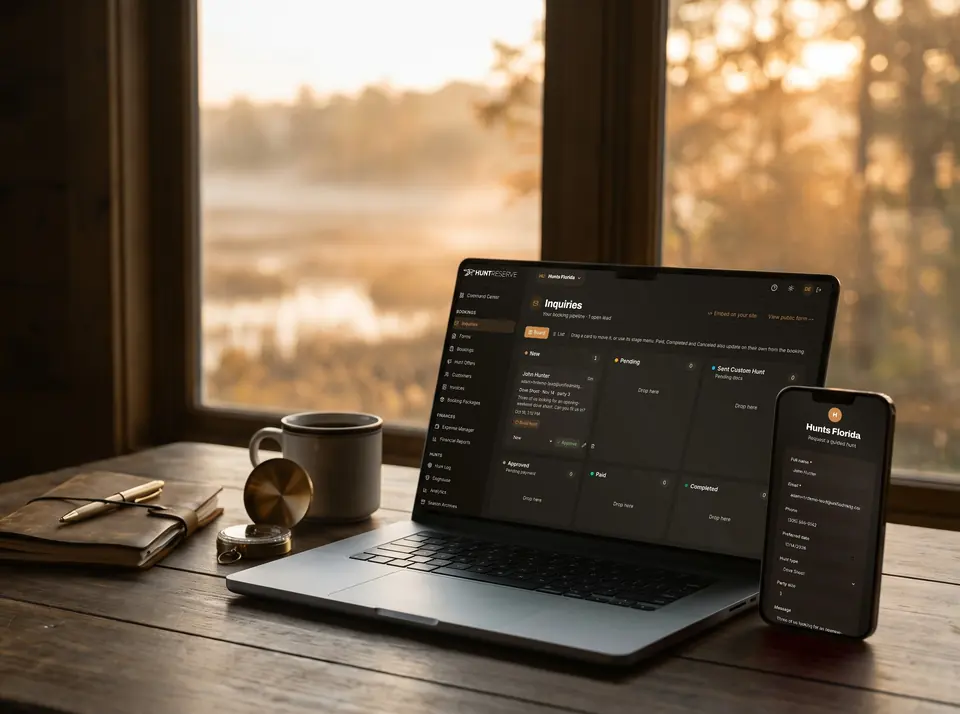 SaaS · Booking & Operations PlatformHuntReserve
From a stranger's inquiry to a paid, waivered, licensed hunting party without a single phone call.
9pipeline stages, drag-and-drop1personal link per hunter: details, license, waiver
Read the case study
SaaS · Booking & Operations PlatformHuntReserve
From a stranger's inquiry to a paid, waivered, licensed hunting party without a single phone call.
9pipeline stages, drag-and-drop1personal link per hunter: details, license, waiver
Read the case study -
 Sports · Custom Site + Staff PortalProlific Prep
A nationally ranked basketball program, run by its coaches from a portal we built for them.
107player profile pages, each built for search3teams: National, Florida and Regional
Read the case study
Sports · Custom Site + Staff PortalProlific Prep
A nationally ranked basketball program, run by its coaches from a portal we built for them.
107player profile pages, each built for search3teams: National, Florida and Regional
Read the case study -
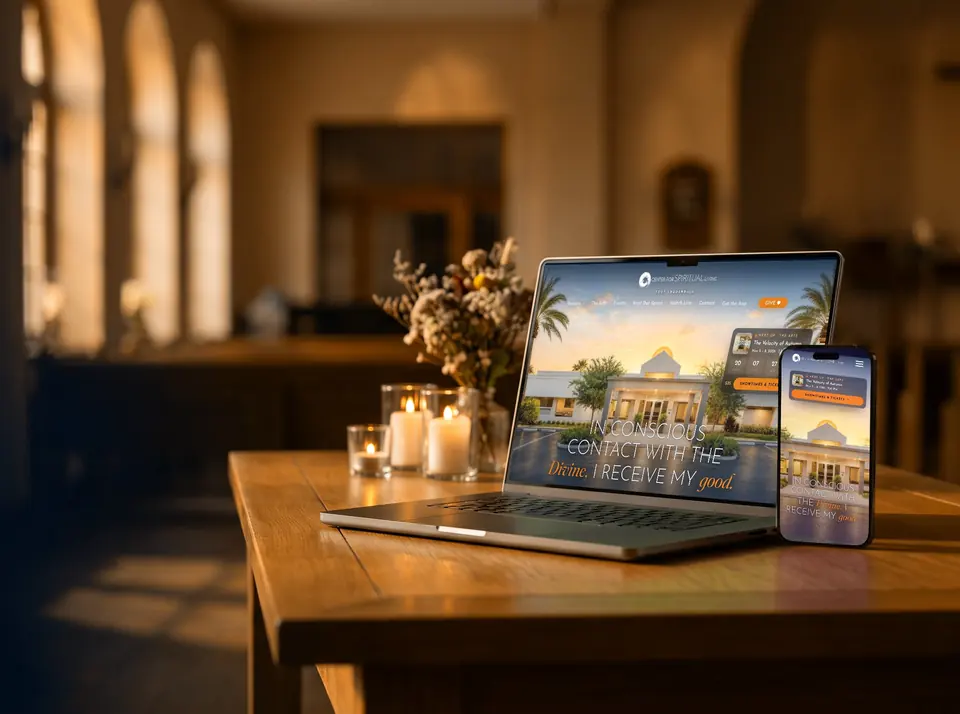 Community · Website + Custom Events PlatformCenter for Spiritual Living
A rescued website and a custom events platform that runs the center's entire calendar.
753pages live732events migrated to the new platform
Read the case study
Community · Website + Custom Events PlatformCenter for Spiritual Living
A rescued website and a custom events platform that runs the center's entire calendar.
753pages live732events migrated to the new platform
Read the case study
10Questions
Web app development questions, answered.
What is web application development?
Web application development is the design and engineering of software that runs in a browser and does work: portals, booking systems, dashboards, CRMs and internal tools. Unlike a marketing website, a web app has user accounts, a database, business rules and permissions, so it needs more planning, testing and ongoing support.
How do I know if I need a web app instead of a website?
If users need to log in and see their own data, or the software replaces spreadsheets, email threads and paper in your operations, you need an app. If the job is to get found, explain your business and capture leads, a website is the right tool. Many businesses need both.
What tech stack do you use?
A typical build uses React and Next.js with TypeScript on the front end, PostgreSQL for data, managed authentication and managed hosting in your own account. We choose well-supported technology so any good developer can maintain the app for years, and we adapt when your existing systems require it.
Who owns the code when the project is done?
You do. The repository, hosting, database and domain live in your accounts from the start, intellectual property is assigned to you in the contract, and you get documentation and admin access. You can bring development in house or work with another team at any time.
How do you keep a custom app secure?
We test permissions on every screen, design against the OWASP Top 10 for web application risks, use managed authentication instead of homemade logins, keep automatic backups and audit logs, and review security before launch. Apps that handle regulated data get the compliance owner involved from discovery.
Can you add AI features to a web application?
Yes. We build assistants that answer from your own documents, document readers that pull fields from PDFs and forms, and drafting tools inside the app, each with permissions and logging. Our custom AI tools team handles that layer, and every AI step keeps a person in charge of what customers see.
What happens after launch?
We monitor errors and performance closely after go-live, fix bugs, and move into a support rhythm with small improvements and quarterly roadmap reviews. Apps are never finished: the second and third releases, shaped by real usage, are usually where the biggest gains come from.
Pairs well with.
- Website DevelopmentHand-coded, fast marketing sites
- Custom CRM BuildA CRM shaped around how you sell
- Custom AI ToolsAI features inside your software
- AI Automation AgencyWorkflows that run on their own
- Prolific Prep case studyOne portal for rosters, games and stats
- HuntReserve case studyCustom CRM and booking platform
One team. Every channel.
Websites, search, ads, content, CRM and AI software built by one in-house team, so every piece works with the others.
Tell us what you need to build.
Describe the process your team runs in spreadsheets today and we will tell you whether it should be an app, a tool you buy, or neither. Call (954) 758-7200 or send a note.