


CRM and Automation · Intelligent Workflows
Connect your tools so work moves on its own.
 Reviewed by Adam Segall, Founder & CEOUpdated
Always-on automation logic that links your marketing, sales, and ops software, so data and tasks flow without a human in the middle.
01The problem
Your tools do not talk, so your team is the glue.
A lead comes in on the website, someone retypes it into the CRM, someone else adds it to the email tool, and a manager copies numbers into a spreadsheet for the report. Every hand-off is a delay and a chance to drop the ball, and all of it is work a machine should be doing.
The cost is not just the wasted hours. Manual hand-offs mean slow follow-up, inconsistent data, and steps that get skipped when people are busy. The best businesses do not hire more coordinators, they wire the tools together so the work moves the moment it should.
02Why it matters
What connected workflows deliver.
Instant hand-offs
Leads and tasks move between tools the moment they should, so follow-up happens in minutes, not whenever someone gets to it.
Data in sync everywhere
A change in one system updates the others automatically, so your CRM, email, and reports never disagree.
Steps that never get skipped
The logic runs the same way every time, so the follow-up and hand-offs no longer depend on who remembered.
Hours off your team
The retyping, copying, and syncing goes away, freeing people for work that actually needs a human.
03How we do it
How we wire your stack together.
A repeatable process, run by the same in-house team from kickoff to launch.
- Step 01
Map the flow
We trace how data and tasks move across your tools today and find the hand-offs that are manual, slow, or getting dropped.
- Step 02
Design the logic
We define the triggers, conditions, and actions, so each workflow fires on the right event and does exactly what it should.
- Step 03
Build and monitor
We connect the tools, build and test the automations against real cases, then watch them live and tune as your stack changes.
04What you get
What you get.
- 01
A map of your workflows
The hand-offs across your tools documented, so you can see exactly where work was leaking and what we automated.
- 02
Live, tested automations
Connected workflows that route leads, sync data, and fire follow-up automatically, tested against real cases before launch.
- 03
Monitoring and handoff docs
Logging so you can see the automations running, plus documentation so your team understands and owns what we built.
05Results
Proof, not promises.
Verified results from live client builds: rankings, AI citations and tracked inquiries, not projections.
-
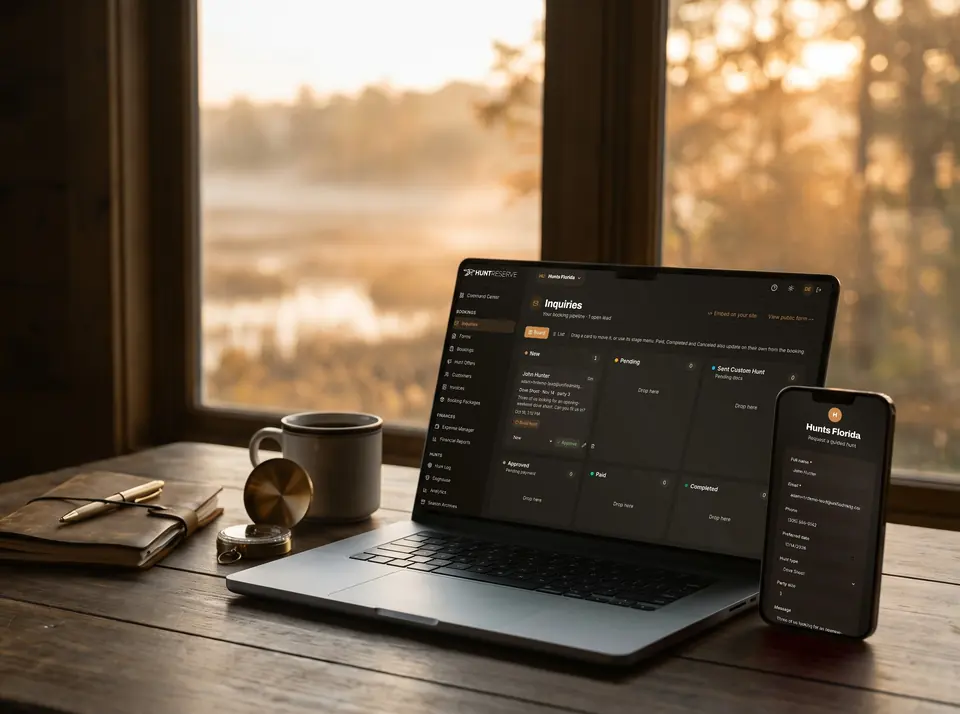 SaaS · Booking & Operations PlatformHuntReserve
From a stranger's inquiry to a paid, waivered, licensed hunting party without a single phone call.
9pipeline stages, drag-and-drop1personal link per hunter: details, license, waiver
Read the case study
SaaS · Booking & Operations PlatformHuntReserve
From a stranger's inquiry to a paid, waivered, licensed hunting party without a single phone call.
9pipeline stages, drag-and-drop1personal link per hunter: details, license, waiver
Read the case study -
 Community · Website + Custom Events PlatformCenter for Spiritual Living
A rescued website and a custom events platform that runs the center's entire calendar.
753pages live732events migrated to the new platform
Read the case study
Community · Website + Custom Events PlatformCenter for Spiritual Living
A rescued website and a custom events platform that runs the center's entire calendar.
753pages live732events migrated to the new platform
Read the case study -
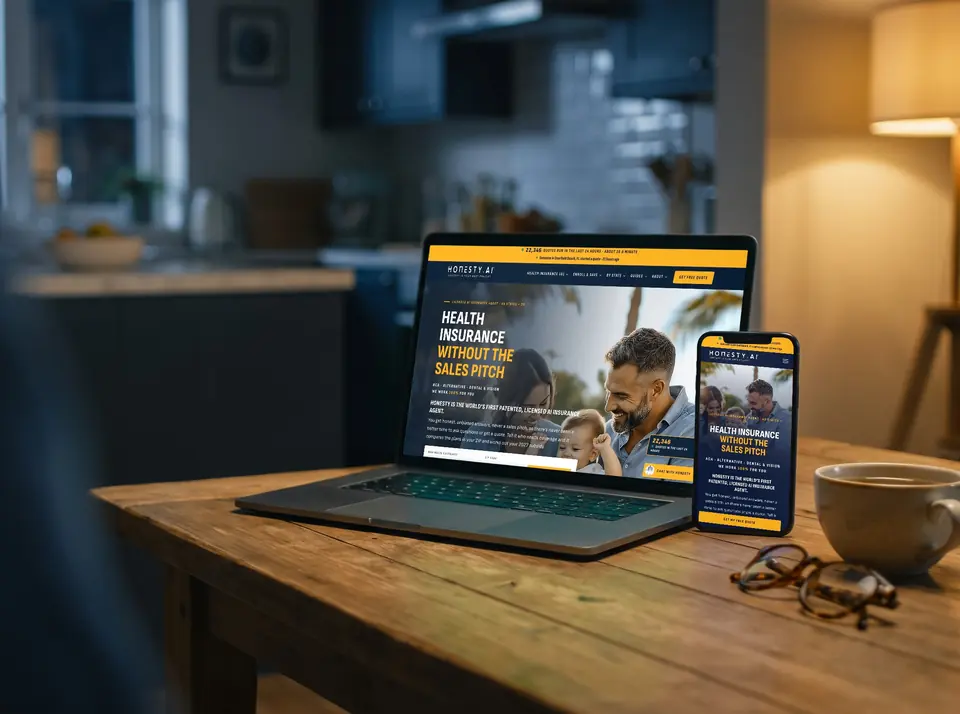 Insurance · AI Search Site + Live ChatHonestyInsure.com
A health insurance site written to be the answer AI search gives, with an AI agent that enrolls you right on the page.
144pages and guides indexed31states with their own local pages
Read the case study
Insurance · AI Search Site + Live ChatHonestyInsure.com
A health insurance site written to be the answer AI search gives, with an AI agent that enrolls you right on the page.
144pages and guides indexed31states with their own local pages
Read the case study
06Questions
Workflow automation questions we answer.
What can you actually automate?
The work that moves between tools: routing new leads to the right person, syncing records across your CRM and email, sending follow-up on a trigger, updating statuses, and pushing data into reports. If a person copies information between two apps on a schedule, it is a candidate to automate.
Will this work with the tools we already use?
In most cases, yes. We connect the software you already run, through its integrations or APIs, so you keep your stack and just make it talk. Where a direct connection does not exist, we engineer the bridge rather than forcing you to switch tools.
What happens when an automation breaks?
We build in logging and monitoring so failures surface instead of failing silently, and we design the logic to handle the edge cases we find in testing. When something does need attention, you see it, and we tune the workflow rather than leaving it to guesswork.
One team. Every channel.
Websites, search, ads, content, CRM and AI software built by one in-house team, so every piece works with the others.
Where we work
Let's take your team out of the middle.
Show us where your people copy data between tools and we will show you what could run on its own.