


What We Solve · Doing the work
Enter it once. Stop retyping.
 Reviewed by Adam Segall, Founder & CEOUpdated
Your team spends hours copying names, phone numbers and job details from one screen to another. That time should go to customers, not to keyboards.
01The problem
Same details, three screens.
A new customer fills out a form on your website. Someone at the front desk copies it into the CRM, then into the scheduling tool, then into the invoicing software at the end of the job. At a plumbing company, a dental office or a small law firm, it looks the same: one person, three tabs, the same name typed over and over.
Every retype is a chance for a wrong digit in a phone number or a misspelled email. Those small slips turn into bills sent to the wrong address, reminders that never arrive and customers who feel forgotten. And the hours add up quietly, because nobody tracks time spent copying and pasting.
The usual fixes rarely stick. Buying one more app adds a fourth screen. Asking staff to be more careful works for a week. Big all-in-one platforms promise to replace everything, but they often force you to change how you work and still leave a few tools outside the loop.
02What changes
What changes when data moves on its own.
Hours back each week
The time your team spent copying records goes back into calls, jobs and customers.
Fewer costly mistakes
Details are captured once at the source, so the phone number on the invoice matches the one on the form.
One trusted record
Everyone looks at the same customer information, so nobody has to ask which spreadsheet is right.
Faster handoffs
When a lead becomes a booked job, the next step starts right away instead of waiting for someone to type it in.
03How we fix it
How we take the retyping out.
A repeatable process, run by the same in-house team from kickoff to launch.
- Step 01
Map the flow
We sit with your team and trace where each piece of information starts and every place it gets copied to.
- Step 02
Pick the source
We decide which system owns each record, so there is one place to update and no fighting copies.
- Step 03
Connect the tools
We link your forms, CRM, calendar and billing so new records and changes pass along automatically.
- Step 04
Check and watch
We test every handoff with real examples, then UnifiedIQ watches the connections around the clock and flags anything that breaks.
04What you get
What you get.
- 01
A data flow map
A plain picture of where your information lives, who touches it and where it was being copied by hand.
- 02
Working connections
Your existing tools linked so new customers, jobs and payments move between them without retyping.
- 03
Clean starting records
Duplicate and mismatched records merged and corrected so the connected system starts from good data.
- 04
Ongoing monitoring
We keep an eye on every connection and fix issues before your team notices them.
05Any industry
Works the same in any business.
- 01
Home services
A booked estimate creates the customer, the job and the follow-up in one step, with no office retyping.
- 02
Medical and dental practices
New patient intake flows into scheduling and reminders, so front desk staff stop copying forms by hand.
- 03
Law firms
Intake details carry from the website form into case management and billing without a paralegal rekeying them.
- 04
Retail and ecommerce
Orders, customers and inventory stay in sync between your store, your email list and your books.
06Results
Proof, not promises.
Verified results from live client builds: rankings, AI citations and tracked inquiries, not projections.
-
 Community · Website + Custom Events PlatformCenter for Spiritual Living
A rescued website and a custom events platform that runs the center's entire calendar.
753pages live732events migrated to the new platform
Read the case study
-
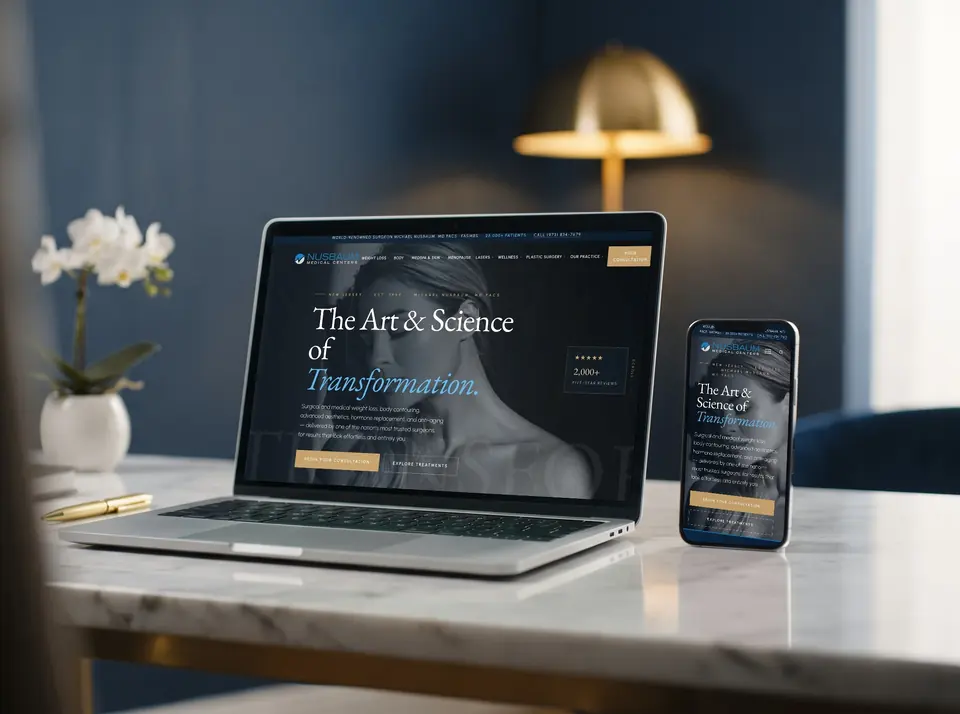 Medical · Custom Theme + SEO + AdsNusbaum Medical Centers
A 3,000-page medical authority that Google ranks first and ChatGPT recommends by name.
3,066pages live1,285search terms ranking on Google
Read the case study
-
 Sports · Custom Site + Staff PortalProlific Prep
A nationally ranked basketball program, run by its coaches from a portal we built for them.
107player profile pages, each built for search3teams: National, Florida and Regional
Read the case study
07Questions
Questions about double data entry.
Do we have to replace the software we already use?
Usually not. Most of the time we connect the tools you already pay for and like. If something truly can't connect, we tell you plainly and talk through options.
Does this work for my industry?
Yes. Any business that types the same customer or job details into more than one place can benefit. We have done this for service companies, practices, firms, stores and B2B teams.
What happens to our old messy records?
We clean them up before we connect anything. Duplicates get merged, obvious errors get fixed, and you review anything we are unsure about.
What if a connection breaks?
UnifiedIQ, our in-house platform, watches the connections 24/7/365 and alerts us when something fails. We fix it and tell you what happened.
Who owns the setup when you are done?
You do. The connections, the accounts and the documentation belong to your business, and we hand over everything.
Other problems we solve.
- 01The software we can buy doesn't fit how we workWe build the tool your business actually needs, shaped around how your team works today, so you stop bending your process to fit someone else's software.
- 02Customers can't find us on Google or MapsWe fix your Google Business Profile, local listings and service pages so nearby customers searching for what you do find you, trust you and call.
- 03ChatGPT and AI answers name our competitors, not usWe make your business clear, consistent and well documented across the web, so ChatGPT, Google's AI answers and other assistants have good reasons to mention you.
- 04Our website gets visits but nobody callsWe find where visitors give up on your site, then fix the pages, forms and calls to action so more of today's visitors call, book or request a quote.
One team. Every channel.
Websites, search, ads, content, CRM and AI software built by one in-house team, so every piece works with the others.
Let your team stop retyping.
Tell us which screens your team copies between and we will show you how to connect them.